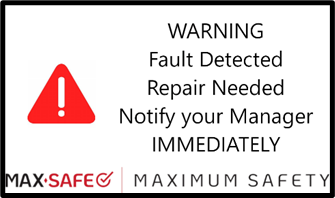
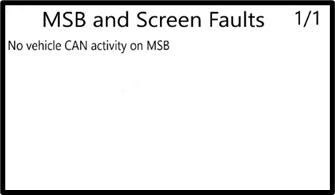
Access the MSB and Screen Faults sub-menu by pressing and holding the red fault symbol on the WARNING Fault Detected screen, or by holding the menu button for 3 seconds to navigate to the menu list and selecting the MSB and Screen Faults sub-menu from the list.
 |  |
Refer to the Fault Determination Guide for the full list of faults that can be displayed and their descriptions.
Was this article helpful?
That’s Great!
Thank you for your feedback
Sorry! We couldn't be helpful
Thank you for your feedback
Feedback sent
We appreciate your effort and will try to fix the article